FeaturesGreet and bye messages
Greet and bye messages (welcome and leave)
EllieBot can post a message every time someone joins, leaves or boosts your server, and send new members a DM. You write each message, then turn it on in the channel where it should appear.
Four messages for three events
There are four messages, and you can turn on any mix of them: a greet message in a channel when someone joins (.greetmsg), a greet DM to the new member (.greetdmmsg, on its own or as well as the greet message), a bye message when someone leaves (.byemsg) and a boost message when someone boosts the server (.boostmsg).
There's no bye DM. EllieBot can only DM people it shares a server with, so a member who has left might never get it.
Write your messages
Every message can use placeholders, such as %user.mention% for the new member, and embeds that you make in the embed builder. Until you write your own, each one has a short default, like %user.mention% has joined the server!
Setting a message doesn't turn it on, so you can write it in any channel.
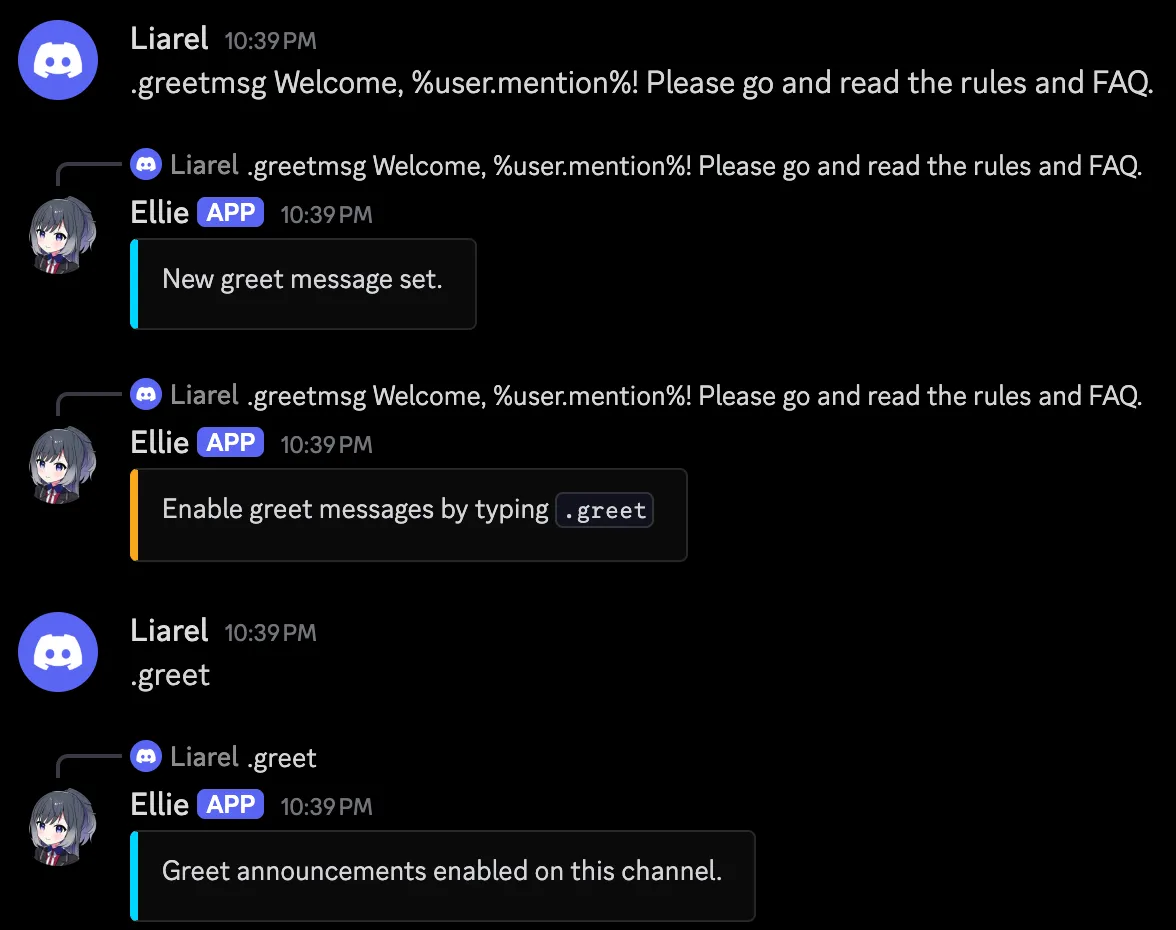
.greetmsg- Set the message for members who join.
.greetdmmsg- Set the DM that new members get.
.byemsg- Set the message for members who leave.
.boostmsg- Set the message for members who boost the server.
Turn them on
Go to the channel where a message should appear and turn it on there with .greet, .bye or .boost. Run the same command again to turn it off. .greetdm works in any channel, because the message goes to the new member's DMs.
Delete the messages after a while
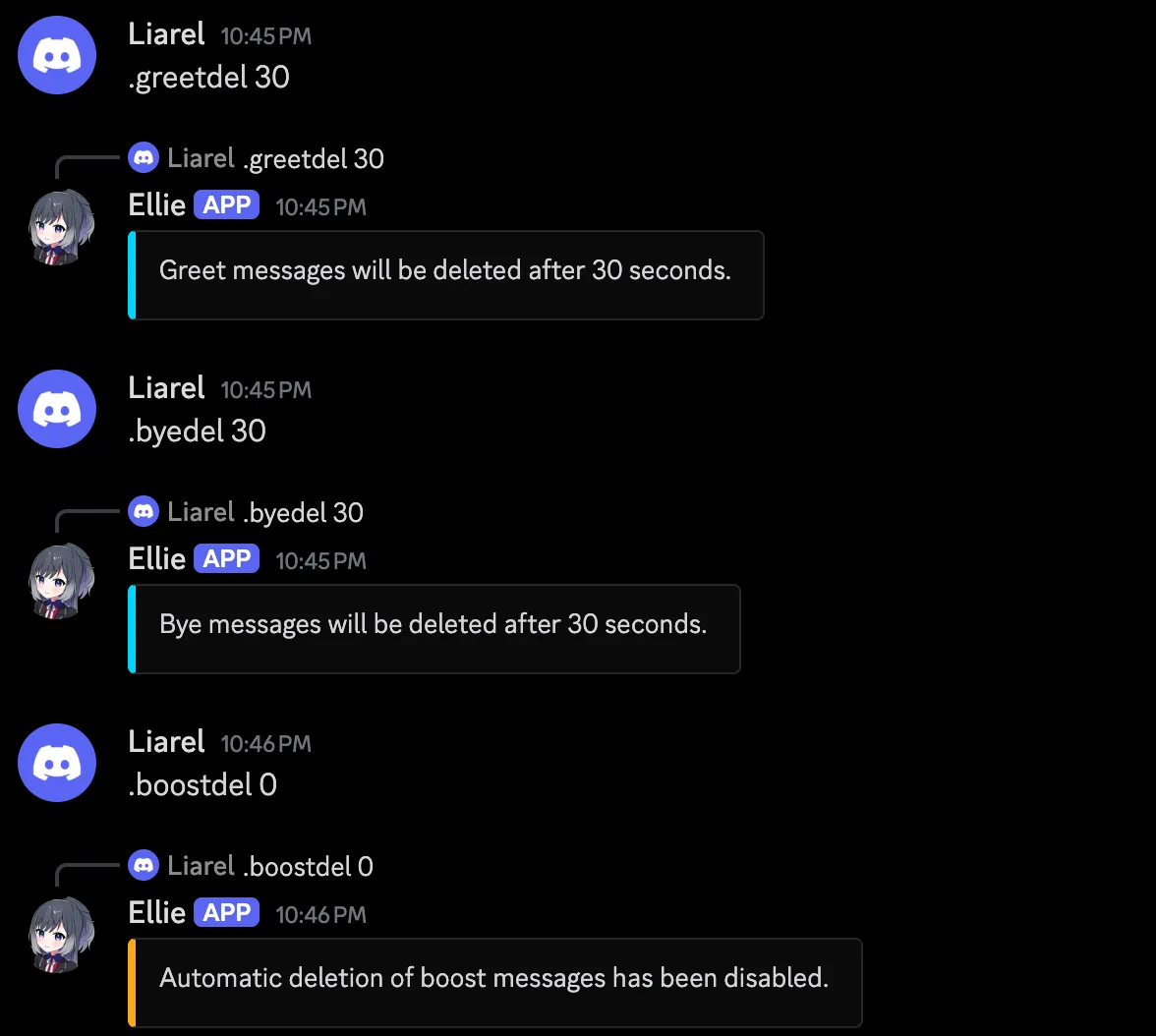
When many people join or leave, the messages can fill up a channel. .greetdel, .byedel and .boostdel delete each message a number of seconds after EllieBot sends it, up to 600 seconds. Without a number they set 30 seconds. Set it to 0 to keep the messages, which is how they start.
Greet DMs are never deleted, because they go to the member's DMs and not to your server.
Set it up in 3 steps
These commands need the Manage Server permission.
- Invite EllieBot, then write your welcome message:
.greetmsg Welcome, %user.mention%! - See it as a new member would:
.greettest - Turn it on in your welcome channel:
.greet
Questions about greet and bye messages
Can EllieBot send new members a welcome DM?
Yes. Write it with .greetdmmsg and turn it on with .greetdm. It can go out on its own or as well as the greet message in your channel. EllieBot adds a footer saying which server it came from, and it only arrives if the member allows DMs from server members. You can also have both DM and greet message in a channel on, or only one of them.
Why is there no DM when someone leaves?
EllieBot can only DM people it shares a server with, so once a member has left, a DM might never reach them. Please use a bye message in a channel instead.
How do I stop welcome messages from filling up the channel?
Have EllieBot delete them after a while: .greetdel 30 deletes each greet message 30 seconds after it is sent. .byedel and .boostdel do the same for the others. Set 0 to keep them.
Can the welcome message ping @everyone or a role?
Yes, if you write @everyone, @here or mention the role in the message text itself. EllieBot also needs Discord's Mention @everyone permission, unless the role can be mentioned by anyone. Mentions inside an embed never ping, and neither does text that a placeholder fills in, so a member's name can't ping anyone.
Can I use an embed as a welcome message?
Yes. Design it in the embed builder, copy the JSON and paste it after .greetmsg. The same works for .greetdmmsg, .byemsg and .boostmsg.
How do I turn welcome messages off, or move them to another channel?
Run .greet again to turn them off. To move them, turn them off, then run .greet in the new channel. The message you wrote stays the same.
Why did the welcome messages stop?
If EllieBot can't post in the channel, for example because it lost permission or the channel was deleted, it turns that message off. Fix the problem, then run .greet again.